Another Method To Remove "Subscribe to: Posts (Atom)" in Blogger


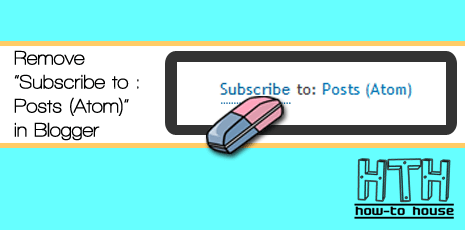
Previously, HOW-TO HOUSE share a tutorial about How To Remove "Subscribe to: Posts (Atom)" in Blogger. In some template, it won't work. So, you can use this method to remove or hide the "Subscribe to: Posts (Atom)". You only need a simple hack code to add into your Edit HTML section. 

How To Create Free Blog with Blogger (Step-By-Step Tutorial)

Blog?

Blog is short for "Web log", which is a a web application containing note or writing that are usually called "post" and displaying on the web pages. "The posts" displayed orderly based on based on the time when the writing is written and published. So when you view a blog, latest post was on top of the blog and the last pages is the first post for the blog.

How To Show Post Title Only on Your Blogger HomePage

* Updated : 26 Jan 2011 * 

Do you like to show only your blogger post title on your home page? This hack can make your homepage more look professional and shorten your homepage. It' looks like this. [screenshot]

Only title on Your Homepage
How to do it? Follow the easy steps below :

How To Fix "Cannot Find a Feed" On Blogger

Have you ever had a problem "Cannot Find a Feed" on your blog? If so, HOW-TO HOUSE will share how to correct it. You only need to add the snippet code in the HTML Edit your blog. This is a problem of Blogger users can be easily fixed. So, let's do it :

How To Partitioning or Resize Hard Drive in Windows 7

Do you want to partitioning your hard drive in windows 7 but did not know how? Or you want to resize your hard drive? It use to be the same method in windows vista. For more details, HOW-TO HOUSE will share a tutorial to partitioning and resize your hard drive in windows 7. Let's check this video.

How To Save Windows Movie Maker as HD in Windows 7


Windows 7 users have some problem to save Windows Movie Maker (WMM) video as High Definition (HD) format such as HD 1280x720, HD 1440x1080, HD 1920x1080 or HD 960x720 just like in the Windows Vista. So, HOW-TO HOUSE  want to share tutorial how to save Windows Movie Maker as HD video in Windows 7. So, let's start guys.

How To Earn Money with Adf.ly

Adf.ly is an easy way to earn money through your blog. Why? Adf.ly will pay for you to just shorten your url with Adf.ly. This is one way to get money through a blog. (Free Registration : Adf.ly)

adf.ly - shorten links and earn money!

What is Adf.ly ?
Adf.ly are a free URL shortening service. Get paid to share your links on the Internet!  Just register for an account and start shrinking.  You get paid for every person that visits your URLs. Isn't that sounds good? Register now!

How Adf.ly Works ?
Earn more than $4.00 / 1000 visitors to your links.  Get tiny URLs, great for when text space is limited.  All advertising is strictly family-safe with no popups.  Real-time statistics with revenue breakdown.  Refer users and get a massive 20% commission.  Many tools - Mass Shrinker, Easy Link, API  Easy-to-reach $5.00 minimum payout. Adf.ly payment is via PAYPAL. You can check Adf.ly payout rates here.

* You need a PAYPAL account to received the payment. Guide : Create a Free PAYPAL Account.


How To Join Adf.ly ?
1. It's a free registration. Just go to this link.

2. Click on the Join Now.


3. Then fill in the registration form and Submit.


4. Now, you're ready to earn some money by shrinking your URLs and share it to the world.


URL sample : Shorten HOW-TO HOUSE URL >>  http://adf.ly/FOYi


adf.ly - shorten links and earn money!
Get paid to share your links!


Start earning now! :)

How to Change Blogger Favicon on Blogspot

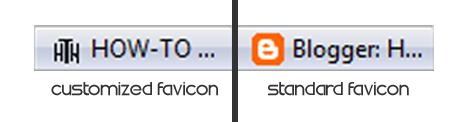
Do you know what is Favicon? Favicon is abbreviation for website icon. For more clearly look at the screenshot below. Change your favicon can make your blog looks more professional. If you wanna change it into your own favicon. Just follow this tutorial.


How To Add Plus Size Image Viewer in Your Blog

Want to show something new on your blog? What if you try "Plus Size Image Viewer" on your blog. Plus Size Image Viewer is an attractive method to enlarge or zoom  the image without open the new tab. Plus Size Image Viewer automatically adds a caption beneath the images of your choice that when clicked on launches a "plus size" version of the image. The enlarged image can be a different image from the original, so the former is loaded only on demand when requested. How is it works? Watch the demo below :

How To Hide Shoutbox in Blogger


Shoutbox is a very useful widget for bloggers to communicate more easily. It also important widget for blogger to pay back a visit to the visitor's blog. But do you wanna hide your shoutbox  widget? You can do it by following this tutorial. You also can add another style of shoutbox appear, How To Make Floating and Click To Appear Shoutbox.